
Figma to After Effects with editable layers
Select a frame in Figma, click Send, and get an After Effects comp: shape layers, live text, gradients with every stop, and Figma's glass as an effect you can animate. Setup takes four steps, once.
The usual ways, and what each costs you
- Rebuild by hand. Exact, but every shape and text box is drawn again and matched by eye. On a dense screen that is most of the day.
- Export PNG or SVG. Fast, but you get pictures. Text is not editable, and shadows, blur and glass are baked into the picture.
- Use a transfer plugin. The plugin reads the Figma layers and creates matching After Effects layers. How much survives differs a lot between tools: check text and glass on one of your own files before you commit.
How it works with Oblique
Oblique has two parts. The Oblique Exporter is a free plugin in Figma Community. The Oblique Importer is a panel for After Effects 2024 or newer, on macOS and Windows, sold on aescripts.com with a free trial.
- Install the After Effects side. Quit After Effects and install Oblique with the aescripts + aeplugins manager. It puts the Oblique Importer panel and two effect plugins, Figma Glass and Figma Texture, where After Effects looks for them.
- Allow scripts. In After Effects open Settings › Scripting & Expressions and tick Allow Scripts to Write Files and Access Network. Then open Window › Extensions › Oblique Importer.
- Add the Figma plugin. Install Oblique Exporter in the Figma desktop app.
- Send. Select one frame and click Send to After Effects. The first time, press Allow in the panel. Both windows show the same check number, so you know they found each other. After that every Send imports straight away.
Design on one computer, animation on another? Export ZIP saves the same export as a file. Later, put it in Downloads and click Import latest export in the panel.
What arrives in After Effects
- Layout and nesting. Frames and groups become precomps and layers in the order you built them.
- Shapes and vectors become shape layers with their fills and strokes. Gradients on shapes become native Gradient Fill and Gradient Stroke with every colour stop.
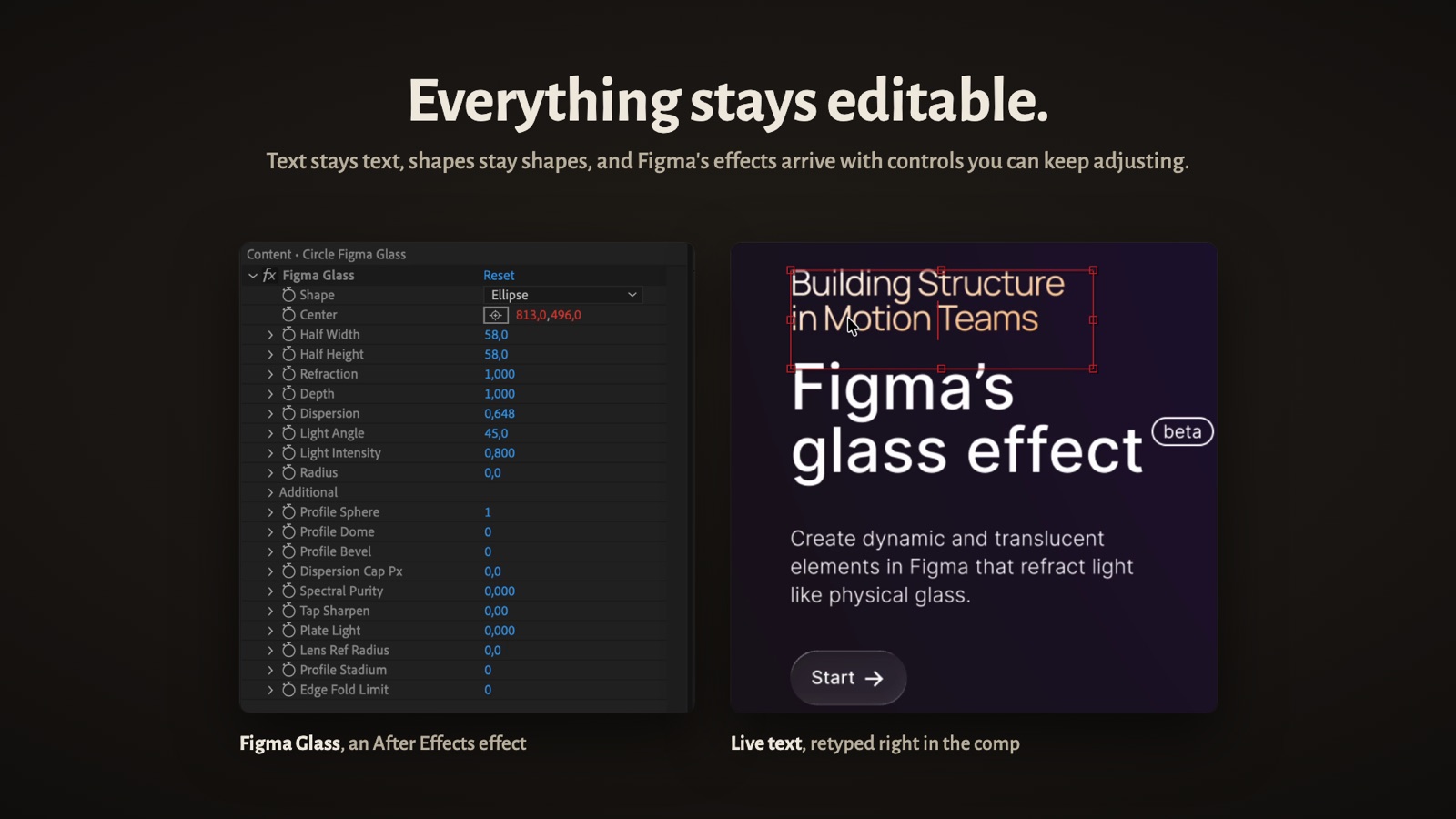
- Text stays editable, with the authored fonts, mixed styles per character (After Effects 24.3 or newer), underline, paragraph spacing and lists. Line breaks are measured in Figma and reproduced.
- Effects you can adjust: drop and inner shadows, layer and background blur, progressive blur, blend modes, noise and grain.
- Figma glass is rebuilt by the bundled Figma Glass effect, with refraction and frost you can tune and animate.
- Images keep their source resolution and crops. Masks, components and instances come across too.
- A reference layer of the original design sits in the comp, and every import writes a short report of anything that changed.
How close is it to Figma?
We render each of 24 test mockups in Figma and in After Effects and compare them pixel by pixel, with no manual fixing. A pixel counts as matching when its red, green and blue differ by 30 or less in total, out of 765. The median is 97.0% of pixels matching, the best 99.4%, the worst 85.9%: a very wide layout with glass tiles stacked three deep. Flat UI sits at 98–99%, glass-heavy designs lower. Different renderers mean no tool reaches 100%.
What it does not do
- It transfers design, not prototypes. Interactions and Smart Animate are not moved, and nothing animates on import.
- Auto layout and constraints become fixed positions.
- The fonts must be installed on the computer doing the import.
- One frame per export, one way: nothing goes back to Figma.
The full list, including what is rasterised or approximated, is on the limitations page. Read it before you buy.
Coming from AEUX?
AEUX, the free Figma to After Effects bridge, was archived on GitHub in June 2025 and is no longer in Figma Community. Oblique works the same way, a Figma plugin plus an After Effects panel, and is maintained: version 1.1 went on sale in November 2026. Figma's glass, which appeared after AEUX stopped, arrives as an effect you can animate. How it compares with Overlord and UXLink is in the FAQ.
Try it on your own file
The Figma plugin is free. The After Effects panel costs $69 on aescripts.com, and there is a free trial: send one of your real frames before you decide.